For a recent project, we did our slug generation on our own, but wanted to plug in functionality as easy as the
awesome friendly_id gem provides. So I extracted the relevant parts out of it and put it in its own module.
In this way we use slugs in our models like this
class Post < ActiveRecord::Base
  extend MyApp::Slug
end
and to_param and find_one are automatically overwritten, which means Rails generates urls for this models like /posts/my-new-post. All other models keep there default behaviour. The author of friendly_id, Norman Clarke, calls this “poor man’s refinement” and that its exactly what it is :) Read more about it here. I think we will get refinements in Ruby 2.0! Yay!
What I did:
- removed all the config stuff (the name of the attribute is hardcoded
slug)
- removed extension of
Object and added is_sluggy?as method instead
- removed all friendly_id addons like history for example, because we handle this on our own
https://gist.github.com/benben/3904942
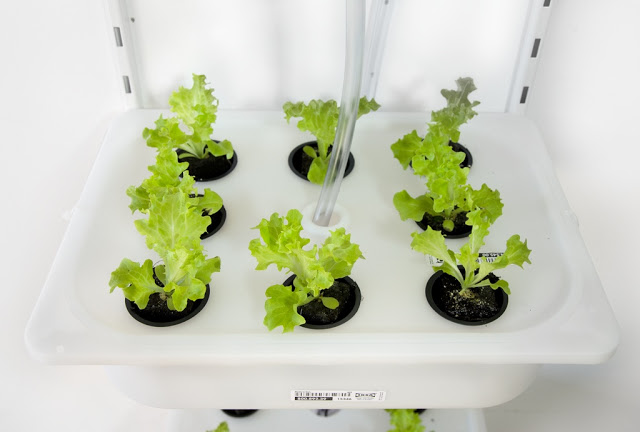
Bei den Ikea-Hackers habe ich diesen
Eintrag gefunden, bei dem es darum geht, Salat in der eigenen Wohnung
anzubauen. Die Anleitung stammt aus einem Buch namens “Elioo”, welches auf Indiegogo
ge-crowd-fundet (geiles Wort!) wurde. Leider ist der Zeitraum für eine Spende abgelaufen und
jetzt muss ich auf die Veröffentlichung des (E-)Buchs warten.
Hier eine kleine Anleitung um das aktuelle LaTeX-Paket auf Ubuntu 12.04 zu installieren.
Achtung: Das texlive Paket aus den offiziellen Ubuntu-Quellen ist veraltet und sollte nicht
benutzt werden.
Vorarbeit:
sudo apt-get install perl-tk
sudo mkdir /usr/local/texlive
sudo chown ben:ben /usr/local/texlive
Achtung: Im letzten Befehl den eigenen Nutzer/Gruppe eingeben. Die Gruppe, in der man sich befindet, hat unter Ubuntu
standardmäßig den gleichen Namen wie der Benutzer.
Das install-tl-unx.tar.gz (2.5mb) von http://www.tug.org/texlive
herunterladen, entpacken und im Terminal in den Ordner wechseln.
Den Anweisungen folgen und warten.
Folgende Zeile am Ende der .profile einfügen. (Diese Datei befindet sich im eigenen Home-Ordner)
PATH="/usr/local/texlive/2012/bin/x86_64-linux:$PATH"
Achtung, falls ein 32bit Linux benutzt wird, kann die Pfadbezeichnung ein wenig anders sein.
Falls alles geklappt hat, sollten Befehle wie pdflatex zu Verfügung stehen.
I ran into some problems when testing controller code with rspec and
fixtures created by fabrication. Some tests failed because the file object was type casted
to a string. So I googled around and found
this blogpost
how to fix it in your spec. Luckily you can use it in your fabricators, too. See this small example:
Fabricator(:media_item) do
  file { Rack::Test::UploadedFile.new(Rails.root.join('spec','fabricators','test.pdf')) }
  type :pdf
end
There is a shortcut rails method for this, called fixture_file_upload, but this didn’t work for me in a fabricator.
2012-10-15 Followup
It has shown, that Rack::Test::UploadedFile will not work in exactly the same way as Rails does. So if you are using Rails and want to have the exact
behaviour, use this little longer code:
Fabricator(:media_item) do
  file {
    ActionDispatch::Http::UploadedFile.new(
      :tempfile => File.new(Rails.root.join('spec','fabricators','test.pdf')),
      :filename => File.basename(File.new(Rails.root.join('spec','fabricators','test.pdf')))
    )
  }
  type :pdf
end